No External Apps
Files Stay Local
Local GPU Workflow
One Canvas
Privacy Control
Architecture LoRA workflow for ComfyUI
Dreamy: architectural design LoRA workflow
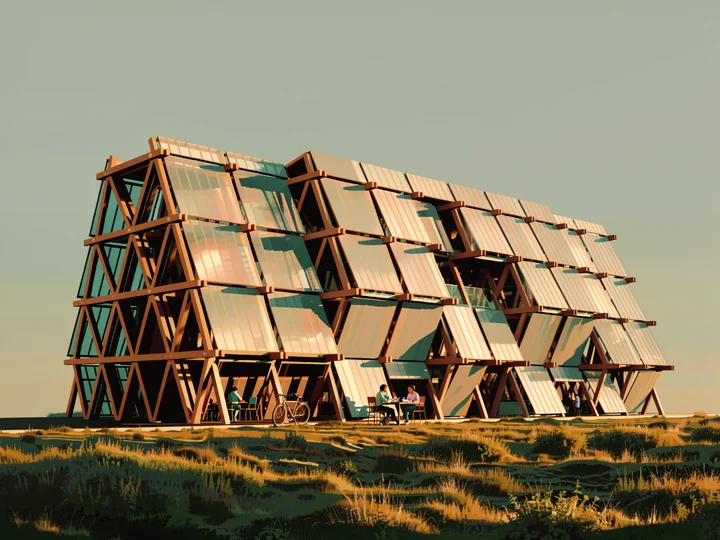
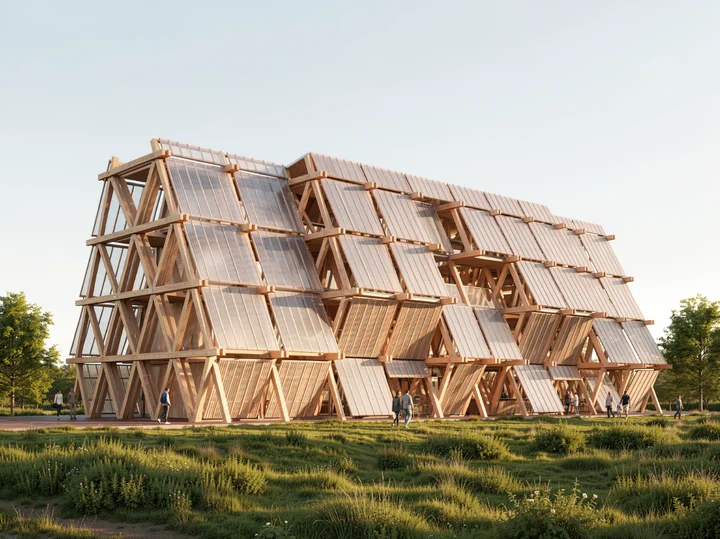
Dreamy is an architectural design LoRA workflow for ComfyUI. Dreamy is the stylized package in the ALTERA2ION lineup. It starts from one base massing or early visual, then a guided reasoning layer translates the scene and your mood cues into a painterly architectural image that still keeps the underlying form legible. Includes ComfyUI workflow JSON, encrypted LoRA (.a2enc), setup guide, installer files, custom nodes, and example outputs.
- Use case
- Stylized architectural illustration from a base scene
- Input mode
- Base architectural image and concise mood direction
- Platform
- ComfyUI
- Included files
- ComfyUI workflow JSON, encrypted LoRA (.a2enc), setup guide, installer files, custom nodes, and example outputs
Quick start
- Load the Dreamy workflow JSON into ComfyUI.
- Place the supplied LoRA in your LoRA folder, then add flux-2-klein-9b.safetensors, qwen_3_8b_fp8mixed.safetensors, and flux2-vae.safetensors.
- Choose your base image, keep or refine the guided mood prompt, and queue the style pass.
Why this is different
Other workflows send you outside. This keeps you inside.
Fragmented pipeline
ALTERA2ION workflow
The workflow
Base + reference in. One visual out.
Inside the graph
![]()
The packaged workflow graph.
This is the actual ComfyUI graph included with the package. The public page shows a screenshot only, so the editable workflow stays inside the paid download.
ComfyUI graph
Open full graph
The logic path
Signal Flow
Package contents
Everything you need.
Everything you need.
Nothing you don't.
How to get the best output.
Package contents
Architectural precision
Stop switching.
Stop switching.
Start designing.
Instant digital delivery · Setup guide included